
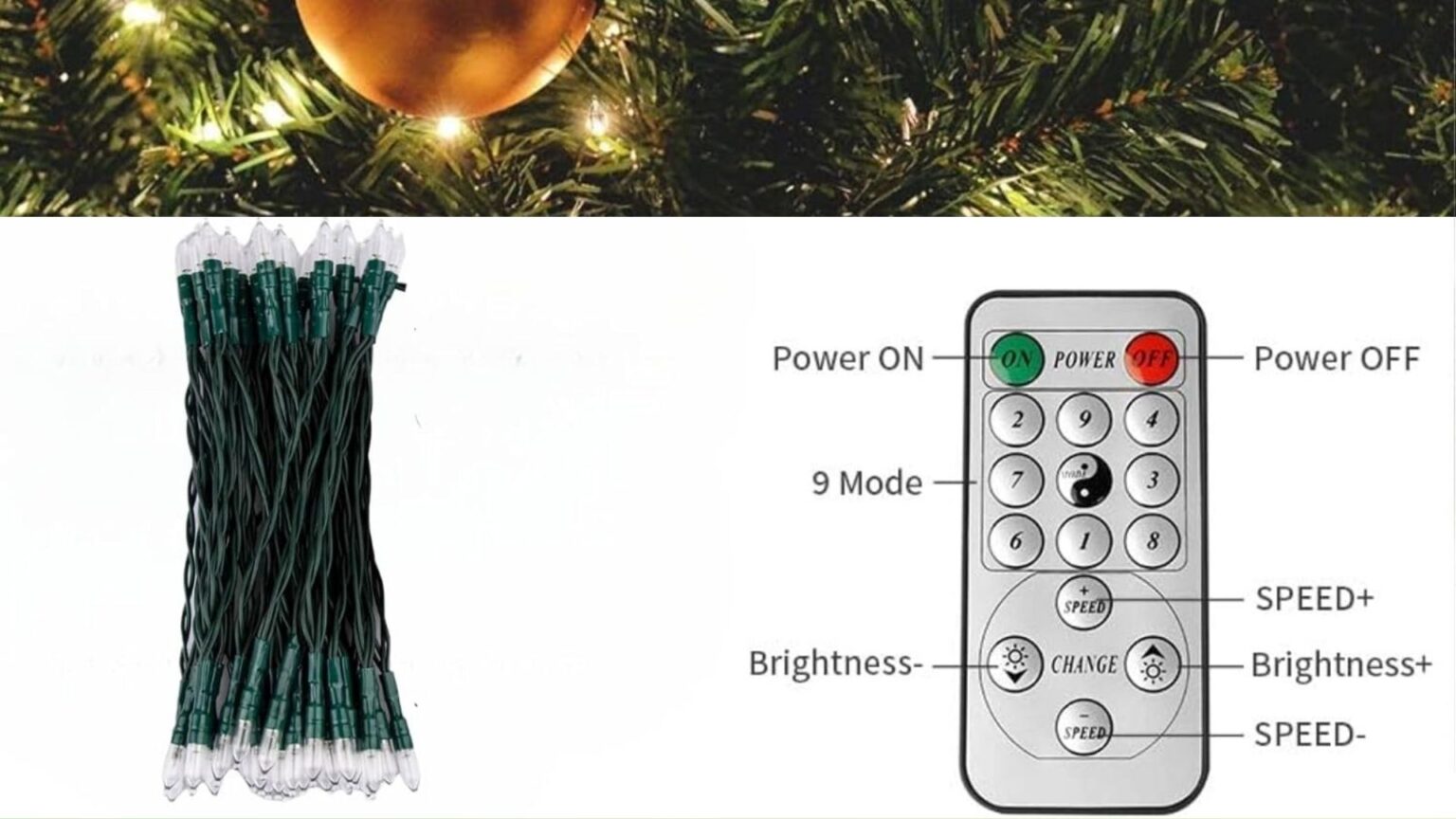
If you have Koopower remote LED fairy lights and want a clear setup guide, the good news is that they are easy to use once you understand the battery box, the timer switch, and the remote buttons. Most models are battery operated, offer multiple lighting modes, and include a timer function that helps the lights run automatically each day.
This guide combines the most useful instructions from the original Koopower manuals and explains them in simpler English. It covers how to turn the lights on, how the timer works, how to turn the timer off, what the remote buttons do, and what to check if the remote stops working.
If you want to browse similar products, you can also see Koopower battery operated fairy lights and indoor string lights.
Quick answer
To use Koopower remote LED fairy lights, insert 3 AA batteries into the battery box, turn the lights on with the MODE or POWER button, remove the protective film from the remote, and then use the remote to turn the lights on or off, select a lighting mode, and adjust brightness. To use the daily timer on most single-button models, switch the battery box to TIMER ON. To stop the timer, switch it to TIMER OFF, press and hold the MODE or POWER button for 3 seconds if your model supports that function, or remove the batteries to clear the timer memory.
What comes in the package
- battery operated LED fairy lights
- remote controller
- user manual
Most models use 3 AA batteries in the battery box, while the remote includes its own small battery.
How to set up Koopower remote fairy lights
- Open the battery box and insert 3 AA batteries following the polarity marks.
- Close the battery box securely.
- If your model has a timer switch, choose TIMER ON or TIMER OFF depending on whether you want the automatic cycle active.
- Press the MODE/POWER button or POWER button to turn the lights on.
- Before using the remote for the first time, remove the transparent protective film from the remote battery compartment.
- Point the remote toward the battery box receiver and press ON, OFF, or a mode button.
If the lights do not turn on the first time, double-check the batteries and make sure the timer switch alone is not being mistaken for the power button. On many models, the timer switch controls only the timer schedule. You still need to press the main power button to turn the lights on for first use.
How the timer works on Koopower fairy lights
Many Koopower battery operated fairy lights use a simple 24-hour memory timer. On common single-button models, the timer schedule is fixed at 6 hours on and 18 hours off. Once you activate the timer, the lights repeat that same cycle every day until the timer is canceled, the batteries die, or the power source is removed.
For example, if you switch to TIMER ON at 6:00 PM, the lights should stay on until 12:00 AM, then stay off until 6:00 PM the next day. That becomes the daily schedule.
Some dual-button outdoor models offer additional timer choices on the remote such as 4H, 6H, 8H, or 24H. Those models work a little differently from the basic 6-hours-on, 18-hours-off program, so it is helpful to look at the buttons on your own remote before choosing a schedule.
How to turn off the timer
If your Koopower fairy lights keep turning on by themselves at the same time every day, the timer is active. The correct way to turn it off depends on the model:
- If your battery box has a TIMER OFF position, switch it there.
- On many models, pressing and holding the MODE/POWER or POWER button for 3 seconds turns the lights off and also cancels the timer function.
- If your model has no clear timer-off control, remove the batteries for a few seconds to clear the timer memory.
This matters because some users think pressing the mode button alone will stop the automatic cycle. Usually it does not. If the timer is still stored in memory, the lights may continue turning on daily until you cancel it fully.
How to reset the timer
If the lights come on at the wrong time every day, the timer probably started earlier than you intended. To reset it:
- Turn the lights fully off.
- Switch to TIMER OFF or remove the batteries for a few seconds if needed.
- Turn the lights back on exactly when you want the new timer cycle to begin.
- Switch to TIMER ON at that exact time, or use the remote timer button if your model supports timed options such as 4H, 6H, 8H, or 24H.
That new time becomes the starting point for the next cycle.
What the remote buttons do
Most Koopower remotes are designed to make day-to-day control easier without opening the battery box. Depending on the model, the remote can do most or all of the following:
- turn the lights on
- turn the lights off
- select one of 8 lighting modes
- increase brightness with DIM+
- decrease brightness with DIM-
- set timer options on certain dual-button models
On many models, pressing ON on the remote starts the lights in mode 1 first. If you press OFF and then ON again, the lights may return to the current saved mode rather than resetting everything.
The 8 lighting modes
Koopower remote fairy lights commonly include these 8 modes:
- Combination
- Steady On
- Slow Fade
- In Waves
- Slo Glo
- Chasing/Flash
- Sequential
- Twinkle/Flash
You can usually change these modes either from the battery box or from the remote. Changing modes normally does not cancel the timer program.
Single-button vs. dual-button Koopower lights
There are two common control layouts:
Single-button models
These usually use a MODE/POWER button on the battery box plus a timer switch marked TIMER ON and TIMER OFF. They often use the fixed 6-hour-on, 18-hour-off schedule.
Dual-button models
These usually separate the controls into a POWER button and a MODE button. The remote may also include more direct timer choices such as 4H, 6H, 8H, and 24H. Setup is similar, but the button layout is a little easier to understand.
Why the remote may not work
If your Koopower remote is not working, check these common causes first:
- The protective plastic film was never removed from the remote battery.
- The remote battery is dead.
- The AA batteries in the light set are weak.
- You are not pointing the remote toward the battery box receiver.
- Objects are blocking the signal path.
- The battery box is positioned in a way that makes signal reception harder.
Some manuals also note that one remote may be able to control multiple strings, but the receiver still needs a reasonably clear path. If the lights respond inconsistently, move closer and point the remote directly at the battery box.
What if the lights do not turn on
If pressing the button does nothing, start with the simple checks:
- replace all batteries with fresh ones
- confirm the batteries are inserted in the correct direction
- check whether the lights are actually in the 18-hour off portion of the timer cycle
- switch to TIMER OFF and press the power button again
- check whether a spring inside the battery box has shifted during shipping or storage
A loose spring in the battery box can stop power from making proper contact. If the spring looks out of place, gently return it to its original position.
Memory function explained
Koopower remote LED fairy lights usually include two kinds of memory:
- Timer memory: changing lighting modes does not usually change the saved timer cycle.
- Mode memory: once you choose a mode, the lights often remember it the next time you turn them on.
However, the manuals also note that previous settings are deleted when the power supply is disconnected. That is why removing the batteries is often the easiest way to clear timer issues and start over.
Battery life, safety, and storage tips
- In manual testing, 3 AA batteries may provide about 120 hours in steady-on mode and around 15 to 20 days in timer mode, depending on battery quality.
- If the lights become dim, replace the batteries.
- Do not mix old and new batteries or different battery types.
- Do not immerse the fairy lights in water.
- Do not pull on the wire too hard during use.
- If you will not use the lights for a long time, remove the batteries and store the lights in a cool, dry place.
Removing the batteries before long-term storage is especially important because it helps prevent battery leakage from damaging the battery box and internal contacts.
Manual download links
If you want the original manual versions, here are the links referenced in older Koopower help content:
Frequently asked questions
Why do my Koopower fairy lights turn on by themselves?
The timer is probably active. Switch the battery box to TIMER OFF, hold the power button for 3 seconds if your model supports that function, or remove the batteries to clear the stored timer cycle.
Can I change the 6-hours-on, 18-hours-off program?
On many standard models, no. That daily cycle is fixed. Some dual-button models have different timer options on the remote, but basic single-button models usually do not.
Why does the timer switch not turn the lights on by itself?
Because on many models the timer switch controls only the timing function, not the main power. For first use, or after battery replacement, you usually still need to press the power button.
Can I use the remote to change brightness?
Yes, if your model includes DIM+ and DIM- buttons.
What should I do if I lose the remote?
You can still use the battery box controls for many functions, including power, mode selection, and timer control depending on the model. If your model originally included a remote and you need full remote operation again, contact Koopower support about a replacement.
Final answer
Koopower remote LED fairy lights are straightforward once you know the basics: insert 3 AA batteries, use the battery box to power the lights, remove the remote’s protective film, and use the remote for on/off, modes, brightness, and timer functions. Most single-button models use a daily 6-hour-on, 18-hour-off timer, while some dual-button models offer additional timer options. If the lights keep turning on automatically, cancel the timer fully instead of only changing modes. That one step solves a lot of the confusion people have with remote fairy lights.